BBC radio on your Mac, anywhere (with internet).
soundsOS plays all 68 BBC radio stations live, shows a fortnight of schedules, and lets you catch up on the last week. It's a native app, built in SwiftUI.
macOS 15.6 or later · Beta via TestFlight
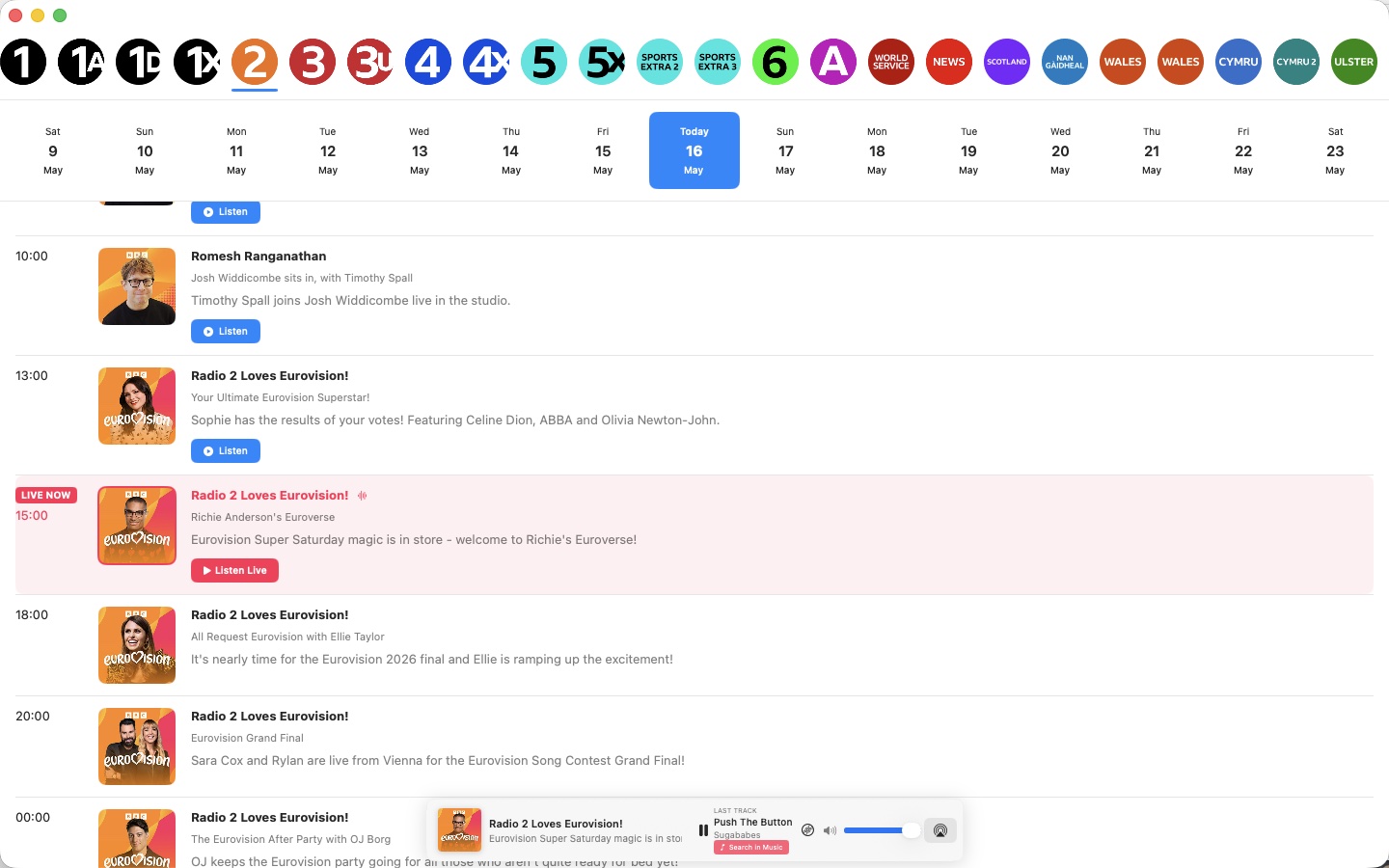
Built like a Mac app, because it is one.
soundsOS isn't a website in a wrapper. It uses the Mac's own audio, media keys, AirPlay and appearance settings.
Every station, one click away
Pick a station from the strip at the top and it starts playing straight away.
A week back and a week ahead
Browse the full schedule for any day. The programme on air right now is highlighted, and the schedule refreshes every minute.
Missed it? Play it from the start
Programmes from the past seven days play on demand. Shows that have just finished are marked “Available soon”.
See what track is on
The Now Playing bar shows the last track played, and one click searches for it in Apple Music. Open the track history to see everything played so far.
Jump back to live
If you've been listening to catch-up or paused, Back to Live takes you straight to what's on air now.
AirPlay, media keys, dark mode
Send audio to AirPlay speakers, control playback from your keyboard or Control Centre, and choose Light, Dark or System appearance.
Shrink it down to the bar
Turn on Mini Player (⌥⌘M) and the window becomes just the Now Playing bar. Double-click it, or use the expand button, to get the full window back.
Start a station from Spotlight
Press ⌘Space, type a station like “Radio 4” or “6 Music”, and it starts playing with today's schedule open.
Ask Siri to play a station
Say “Play Radio 2 on soundsOS”, pause or resume, or ask what's playing. The same actions are available in the Shortcuts app.
Try the beta through TestFlight.
- Get TestFlight
Install Apple's free TestFlight app from the Mac App Store.
- Open the invite link
Click “Join the beta on TestFlight” on this page, then accept the invite in TestFlight.
- Install and pick a station
Click Install in TestFlight. New beta builds arrive there automatically.
- Status
- Public beta
- Requires
- macOS 15.6 or later
- Built with
- Swift, SwiftUI and AVFoundation
- Feedback
- soundsos@mdnoble.co.uk